
Fly Delta: Your All-in-One Travel Assistant
Overview
Fly Delta is a dedicated desktop application designed to simplify the entire travel journey for passengers of Delta Air Lines. As a comprehensive travel companion, it centralizes key aspects of air travel, including flight bookings, boarding pass access, real-time flight updates, and reservation management. The software is tailored specifically for Delta customers, offering a streamlined experience that enhances convenience from pre-flight planning to post-arrival logistics. It is especially beneficial for frequent flyers managing complex itineraries and occasional travelers seeking a seamless airport experience.
By integrating flight tracking, upgrade notifications, and interactive flight maps, Fly Delta ensures users stay informed and prepared at every stage of their journey. The application supports offline access to essential travel data, allowing users to view their itineraries and boarding passes without an active internet connection. While its functionality is tightly focused on Delta’s services, this specialization enables a high level of integration and reliability within the airline’s ecosystem. The developer, Delta Air Lines, brings industry expertise to the application, ensuring consistent alignment with airline operations and customer service standards.
Key Features & Capabilities
- Flight Booking Management: Access and manage all Delta flight reservations in one centralized location. Users can view upcoming trips, modify details, and track changes in real time.
- Real-Time Flight Updates: Receive instant notifications for delays, gate changes, and cancellations, helping travelers adjust plans quickly and efficiently.
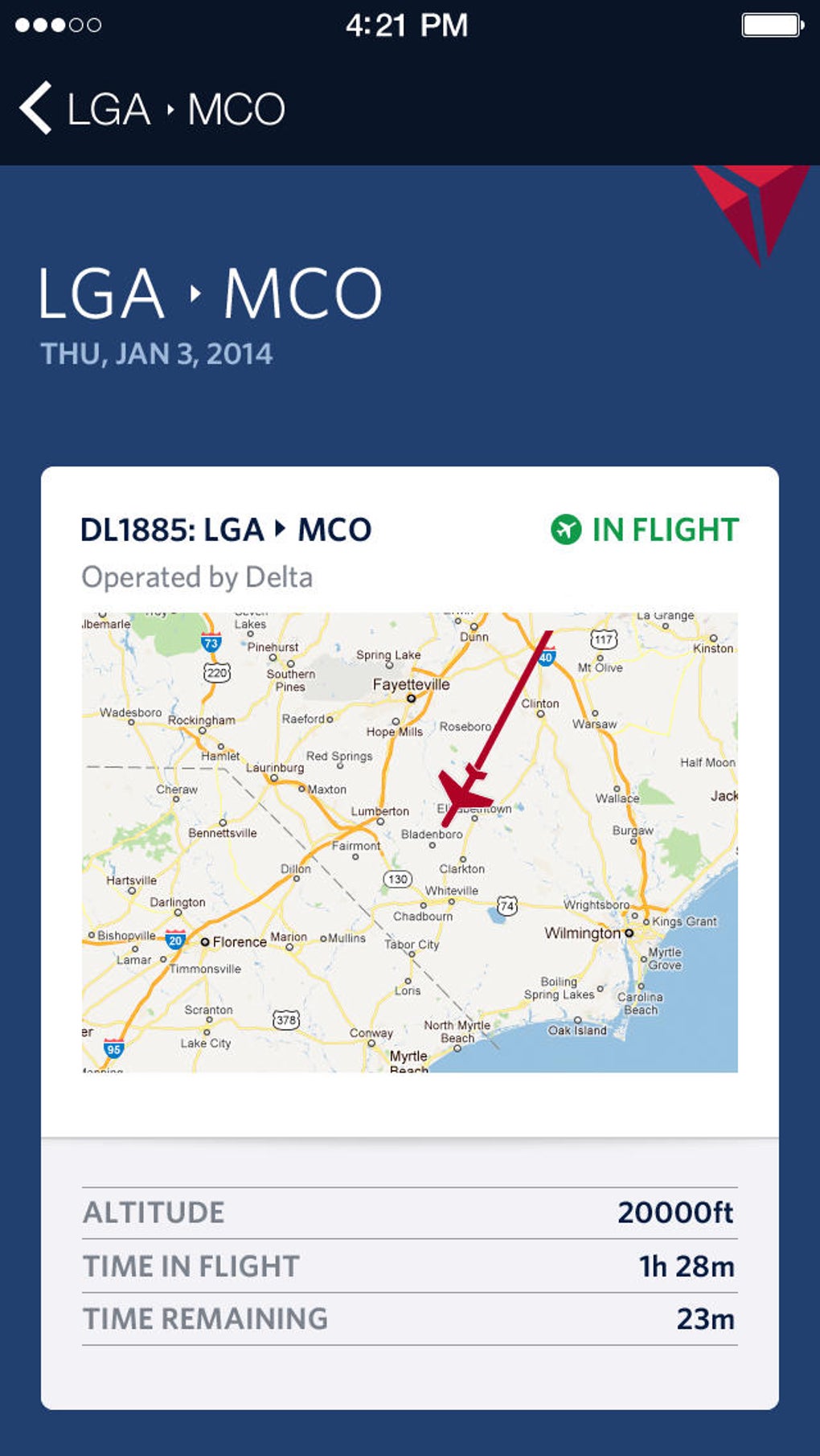
- Interactive Flight Maps: Visualize flight paths and progress in real time, providing a dynamic view of the journey from departure to arrival.
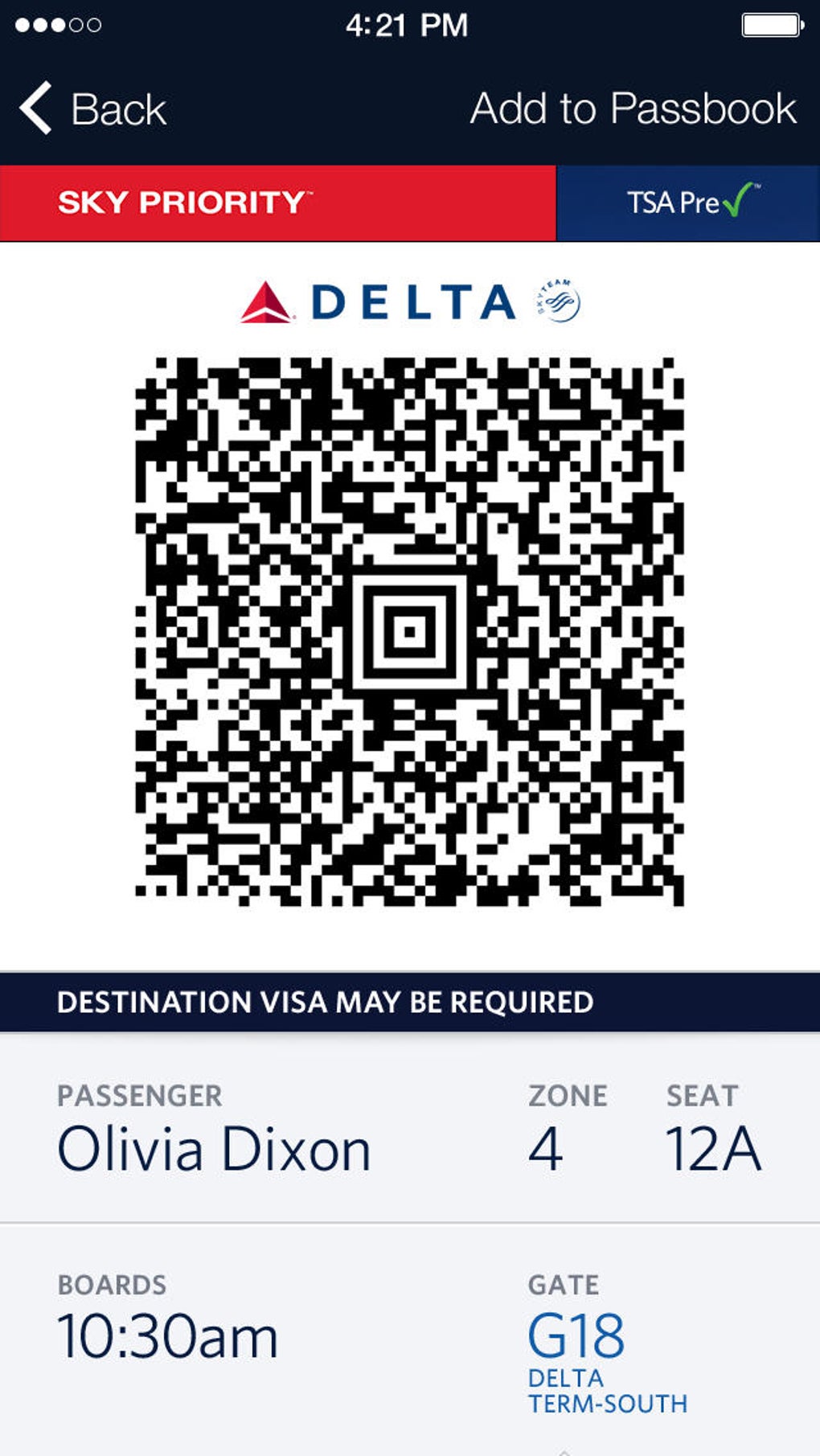
- Boarding Pass Access: Store and retrieve digital boarding passes securely, eliminating the need for paper copies and reducing check-in time.
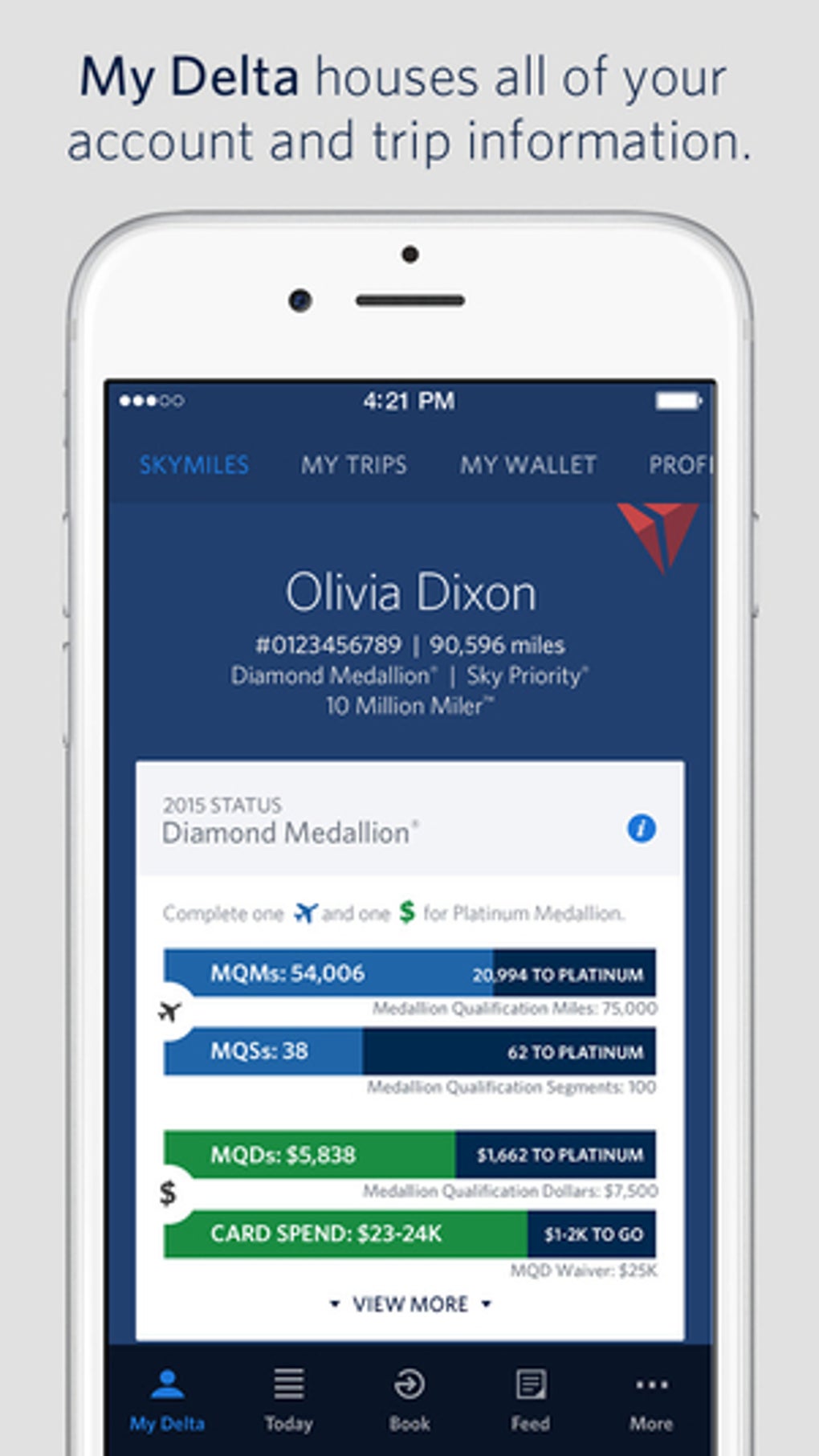
- Upgrade Tracking: Monitor eligibility and status of flight upgrades, with alerts when upgrade opportunities become available.
- Parking Spot Information: Access details for airport parking locations, including reservation status and proximity to terminals.
These features collectively reduce travel stress by keeping users informed and prepared. For instance, a frequent traveler can use the app to track multiple flights across different cities, receive alerts for a gate change, and instantly access their boarding pass without navigating multiple websites. Similarly, a first-time flyer can use the interactive map to better understand their flight path and reduce anxiety during travel. The app’s design emphasizes efficiency and clarity, making it a practical tool for anyone relying on Delta for their air travel needs.
User Interface, Workflow & Performance
Fly Delta features a clean, intuitive interface designed for quick access to essential travel information. Navigation is structured around a main dashboard that displays active flights, upcoming departures, and urgent notifications. The layout prioritizes readability and ease of use, with clearly labeled sections and minimal visual clutter. Users can quickly switch between different trips and view detailed flight information with just a few clicks.
Workflow efficiency is enhanced by the app’s ability to sync with Delta’s booking system in real time, ensuring that all data remains up to date. The application maintains a responsive interface during routine operations, with no reported lag or crashes in standard usage scenarios. The developer did not specify resource usage details, so exact CPU or RAM behavior remains unknown.
However, based on general software behavior patterns, the application operates smoothly on modern systems with typical desktop workloads. Stability appears consistent, with no indications of frequent crashes or data loss. The app supports offline access to saved itineraries and boarding passes, improving usability during airport travel when connectivity may be limited.
Compatibility & System Requirements
Fly Delta is available for both Windows and Mac operating systems, making it accessible to a broad user base. The application requires 120 MB of disk space for installation, indicating a lightweight footprint. The developer did not provide additional system requirements, so exact hardware specifications such as RAM, processor, or graphics support are not available.
Compatibility information was partially provided, confirming support for Windows and Mac platforms. Users should ensure their system meets general desktop application requirements to run the software without issues. The application was released on May 15, 2024, and is currently at version 1.2.0.
Pros and Cons
Pros
- Comprehensive travel management for Delta Air Lines passengers
- Real-time flight updates and instant notifications
- Secure digital boarding pass storage and access
- Interactive flight maps enhance travel awareness
- Offline access to itineraries and boarding passes
- Free to download and use
Cons
- Exclusive to Delta Air Lines, limiting utility for multi-airline travelers
- Limited system requirements information provided
- May not support third-party travel services or bookings
FAQ Section
Is Fly Delta compatible with both Windows and Mac?
Yes, Fly Delta is available for both Windows and Mac operating systems.
Is the software free to use?
Yes, Fly Delta is currently offered at no cost to users.
Does Fly Delta require an internet connection to function?
While the app requires an internet connection for real-time updates and syncing, it supports offline access to stored itineraries and boarding passes.
Can I use Fly Delta for flights with airlines other than Delta?
Fly Delta is designed specifically for Delta Air Lines bookings and may not support flights with other carriers.
How often does the app receive updates?
Updates are released as needed to improve functionality, fix bugs, and enhance security. The latest version is 1.2.0, released on May 15, 2024.
Final Thoughts + CTA
Fly Delta stands out as a powerful, focused tool for anyone traveling with Delta Air Lines. Its seamless integration with the airline’s services, real-time updates, and user-friendly design make it an essential companion for both frequent and occasional flyers. While its exclusive focus on Delta limits broader appeal, this specialization delivers a high degree of reliability and convenience within its domain. For travelers who value a smooth, stress-free journey and want a single source for all their flight-related needs, Fly Delta delivers a compelling solution. Its free pricing model further enhances its accessibility and value.
Download Fly Delta now and take control of your next Delta flight with confidence.







